A web terminal built from scratch — filesystem, shell, text editor and small apps, all in one tab and installable as a home-screen app.
Digital Product
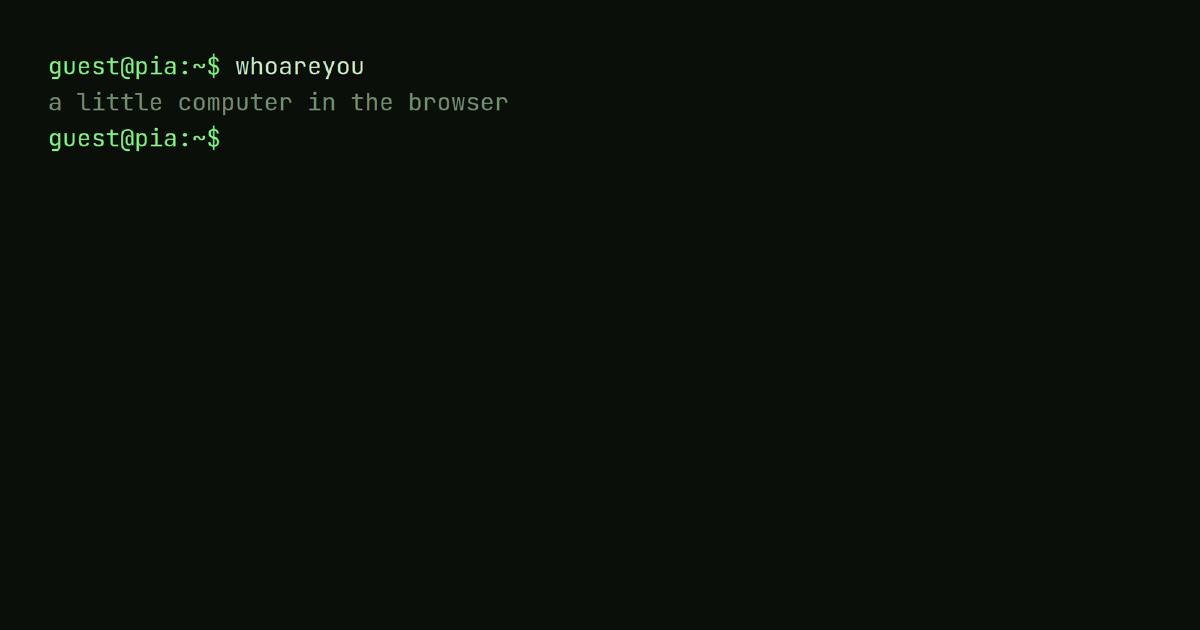
The first thing PIA does is introduce itself at the prompt.
Overview
PIA is a working little computer that lives in a browser tab. You log in at a prompt, move through a filesystem, edit files, and pipe commands (sort fruit.txt | uniq). No backend to get started: guests run locally, signed-in users sync to the cloud. The name nods to Apple’s Lisa — PIA is Personal Integrated Applications.
Role
Concept, design and development (solo)
Details
Platform
Web · installable PWA
Scope
Concept, design, architecture & development
Stack
TypeScript · Vite · Vitest · Supabase · Cloudflare Pages
I wanted to see how far “a computer in a tab” goes if you refuse to cheat — not a toy terminal, but something that behaves like a real shell: the same names, flags and flows as Unix, that happens to run in the browser and works with a thumb on a phone.
That means two worlds collide. The terminal is keyboard, text and 1970s convention; the web is touch, share links, email sign-in and home-screen apps. The whole project is one rule — terminal idiom first — pushed all the way into the architecture. It’s the clearest argument I can make for how I build products: pick one principle and let structure, not willpower, hold things together as they grow.
A looping, self-running tour — PIA's built-in demo command runs identity, a filesystem, the nano editor, Python and packages; deterministic, not a screen recording.
The design principle: terminal idiom first
Every command follows Unix convention — name, flags and behaviour. The real name (nano, useradd, grep -n) wins over a friendly web invention (edit, register, a GUI shortcut); friendly names survive only as aliases. Know one command and you can guess the next: the editor is nano (^O saves, ^X exits), the prompt is user@pia:~$, settings live in a .pia/ dotfile.
available commands (excerpt):

  ls         list the contents of a directory
  cd         change the current directory
  mv         move or rename a file or directory
  rm         remove files or directories (-r for directories)
  grep       print lines matching a pattern (from files or piped input)
  sort       sort lines of text
  uniq       collapse adjacent duplicate lines (needs sorted input)
  wc         count lines, words, and characters
  nano       edit text files in a full-screen editor
  brew       install optional command packages (brew install <name>)
  share      share a file or folder, or `share <file> <email>` to co-edit
  publish    publish a folder as a shareable link
  remind     schedule a push reminder (-l list, -r <n> cancel)
  crontab    recurring scheduled jobs (-e edit, -l list, -r remove)
  useradd    create an account and log in
  theme      switch colour theme (theme <name>, or list them)

type `help <command>` for usage.
The hard part is what to do when there’s no terminal equivalent. Email and confirmation mails are pure web; share returning a URL has no shell counterpart; touch buttons likewise. Instead of dressing them up as something they aren’t, the rule is blunt:
Flag the deviation and make it a deliberate, documented decision — not a slip.
The rule cuts both ways: where the metaphor is Unix, PIA won’t fake it either — sudo genuinely elevates, /etc is really write-protected, and a permission denied always means one.
Architecture as a design decision
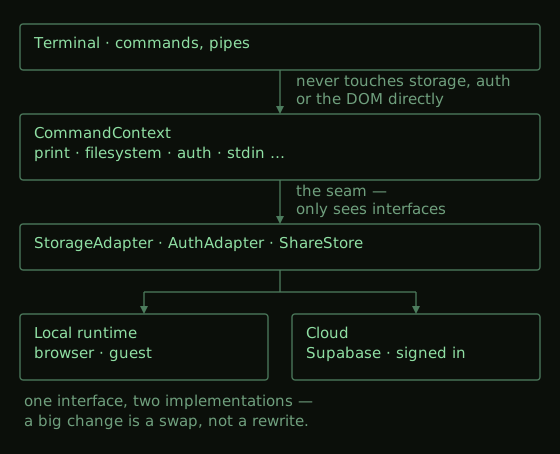
The most designed part isn’t on screen: the adapters are the seam. The terminal never touches storage or auth directly — only the StorageAdapter / AuthAdapter / ShareStore interfaces, reached through one small CommandContext (print, filesystem, auth, stdin …), never the DOM.
So a big change is a swap, not a rewrite. Guests run local adapters; signed-in users run cloud adapters (Supabase) behind the same interface. Full-screen apps — the editor, the games — take over through the same mechanism, so new tools cost almost nothing. Structure is what lets a product grow without decaying.
Selected design decisions
Themes are five tokens, not a re-skin. Each CRT palette — green phosphor, amber, ice, mono — sets only five colour tokens; the rest follows. In the clip below, theme amber and theme ice recolour the whole screen at once — nothing is restyled per theme, the tokens simply cascade. The typeface is self-hosted JetBrains Mono, shared with this portfolio.
A looping recreation of the saved tour — pipes, then theme amber and theme ice recolour the whole screen from five tokens; not a screen recording.
An optional CRT overlay — pure decoration, never in the way.crt on lays a real cathode-ray look over any theme: a soft phosphor bloom on every glyph, fine scanlines, and a tube vignette that slowly breathes. It’s cosmetic only — off by default, one command away, and layered on top of the same tokens as the palettes, so nothing underneath is restyled or touched.
crt on — a soft phosphor bloom, fine scanlines and a slowly breathing tube vignette, layered over the green theme.
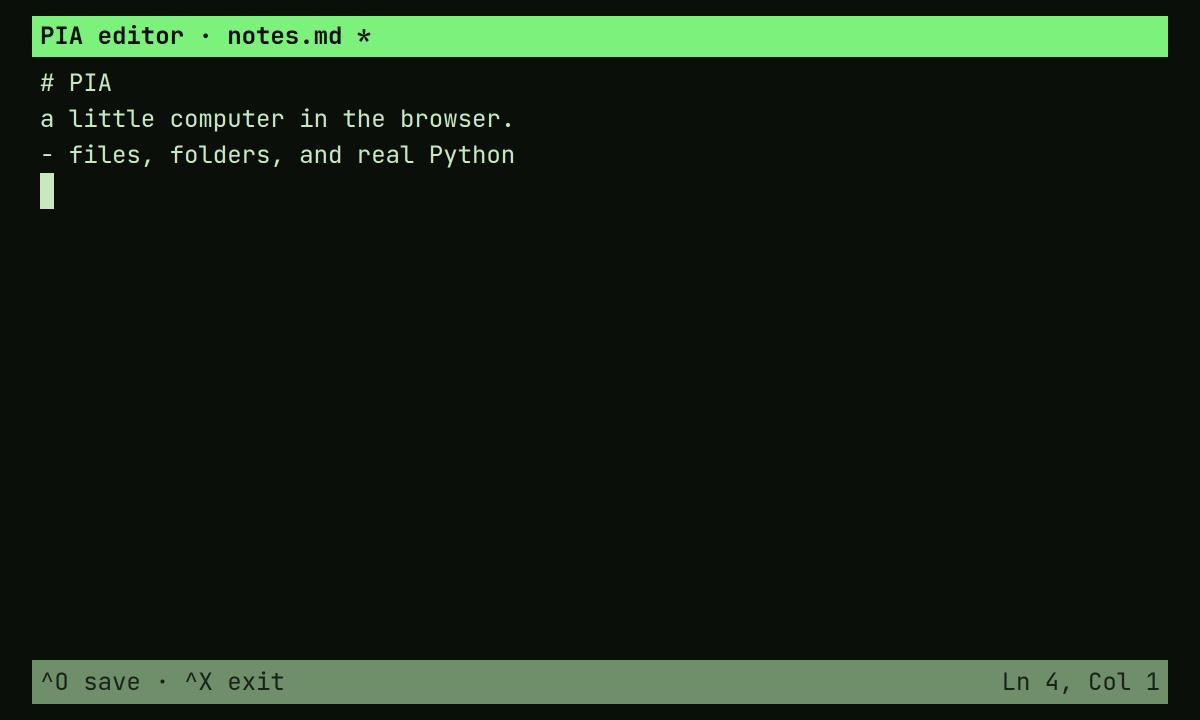
The editor is really nano. Full-screen apps inherit the theme for free and keep the idiom: ^O saves, ^X exits, line and column in the status bar.
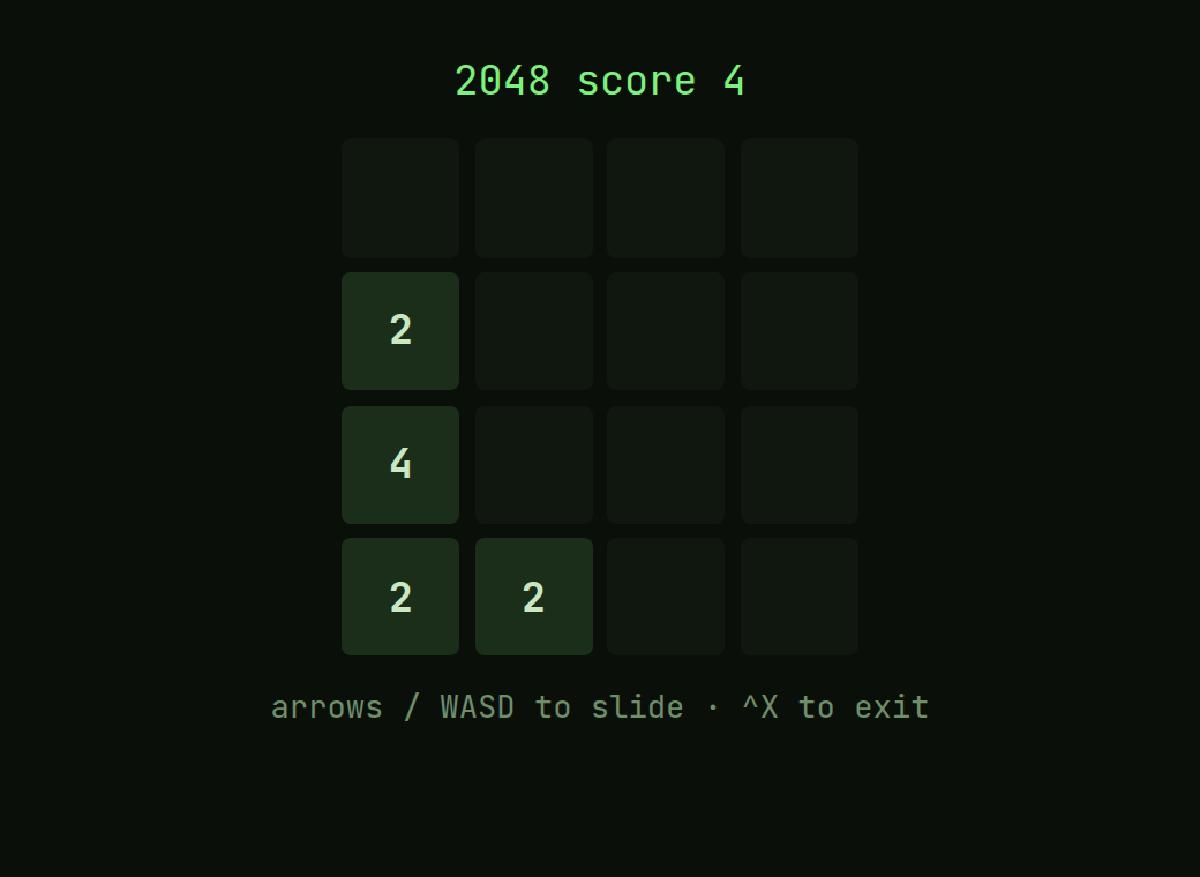
The editor is really nano: ^O saves, ^X exits, line/column in the status bar.Full-screen apps are just another screen app — games inherit the theme for free.
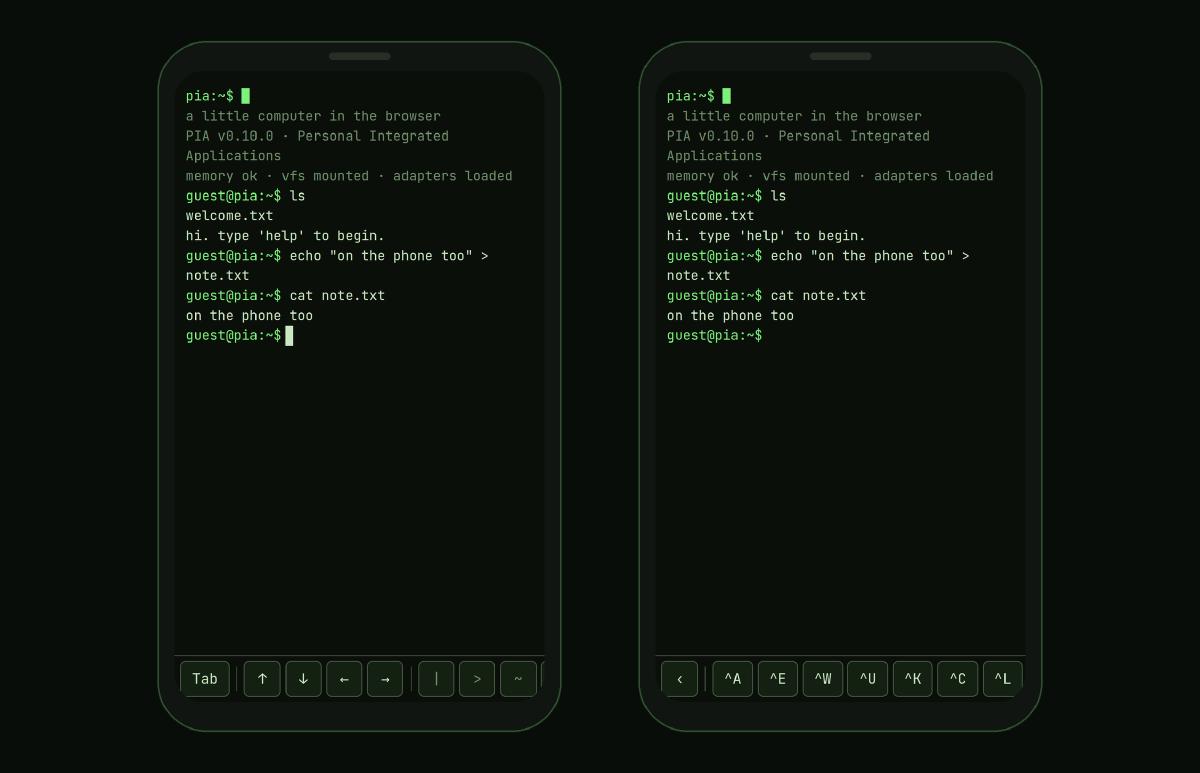
The touch bar is context-aware — a web deviation, on purpose. With a physical keyboard it’s hidden; Tab, arrows and pipe are already there. On touch it appears in clusters — completion · navigation · punctuation · control — and the control group is one ctrl button that unfolds the full readline set (^A ^E ^U ^K ^W …), so the bar stays clean as it grows.
The same computer in your thumb — left, the touch bar; right, the ctrl button unfolded to the full readline set. The bar only appears on a touchscreen.
Same app, different home. On the iOS home screen there’s no browser chrome, so display-mode: standalone and real safe-area handling put everything edge to edge — while the browser stays untouched. Push is real too: remind and collaboration notices reach the phone via Web Push with the tab closed.
The terminal stays the source of truth — even for an AI. PIA speaks MCP: an external AI client connects over OAuth and can read your files, writing only within a per-token scope you set from the prompt (mcp scope claude --write docs — the chmod of a token). Even the OAuth authorise step is a terminal prompt, not a web form; the idiom holds all the way into an auth flow. It’s the app’s first server-side piece — everything else stays static.
Quality: the test that reads like a tour
The whole product is verified through one scripted session in the real terminal, saved as a transcript (“the tour”). Add a feature, add lines, review the diff against the saved copy — that diff is the test. The clock is frozen and volatile output masked, so only real behaviour moves.
 guest@pia:~$ at now+5m echo remember
 scheduled for Sat Jul 18 12:05 UTC 2026
   echo remember
+guest@pia:~$ remind now+1h standup
+remind: reminders need a cloud account — run `login`
A real slice of the tour: adding remind appended the two green lines, and its honest guest declination is the behaviour under test. The reviewed diff is the verification.
Under that: type checking, unit tests, and browser checks for what tests can’t see (colours, WASM, PWA). Everything ships via branch → PR → CI → merge, with a preview URL per change.
What it proves
One uncompromising principle, carried into the architecture, made the product feel whole and cheap to extend. The adapter seam turned the biggest change — guest to cloud — into a swap, and made each new game or tool nearly free. The scripted tour makes every documented behaviour a test, so consistency is enforced on every merge, not hoped for.
The cost is real: idiom-first taxes the web-native parts — every deviation (share, uploads, the touch bar, push) had to be argued and written down. That discipline is what gives PIA a point of view; it also makes anything that doesn’t fit the metaphor slower to add.
Today it’s a deployed, installable PWA — command register, editor, window tabs, real-time shared checklists, a package system with games and tools, Python, themes, push — and still growing. The best way to judge it is to press some keys yourself.